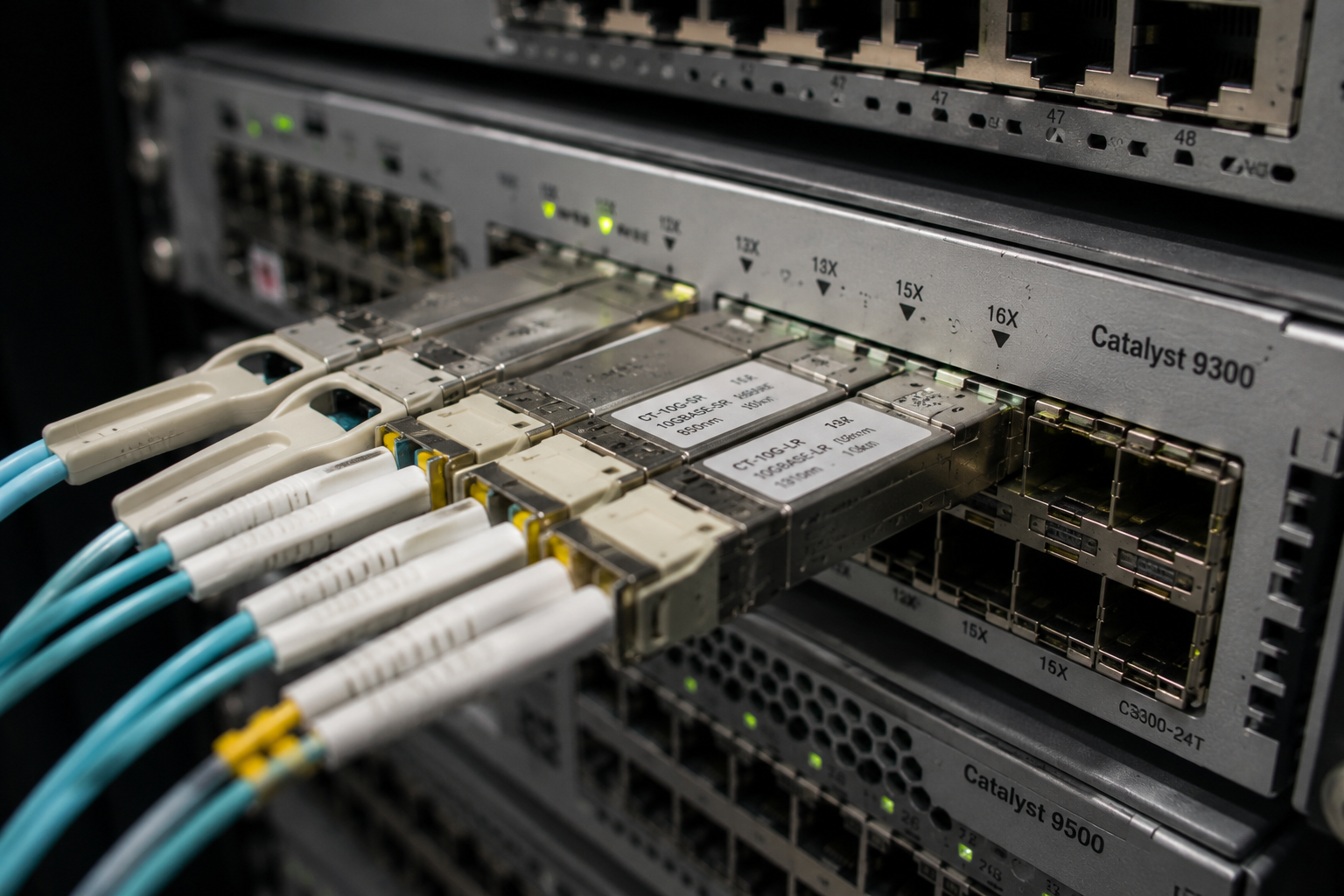
The Nexus range gets the data-centre attention, but the switches that actually carry most UK enterprises are Catalyst 9300s in the wiring closet and Catalyst 9500s in the core. And the optics question on Catalyst is structurally different from Nexus: on most 9300s the switch itself has no optical ports at all. The question is two questions — which uplink module have you got, and which optics does that module take?
This guide answers both, model by model, with the compatible Carritech Optics part against the common Cisco part numbers — the same treatment we gave the Nexus 9300 series. Throughout, the reference source is Cisco’s own 9300 e 9500 data sheets and the transceiver compatibility matrix — worth having open when anything looks ambiguous.
How Catalyst cages work: the two-step rule
On the Catalyst 9300 family, access ports are overwhelmingly copper (1G, mGig, PoE variants) and the optics live in a hot-swappable network module at the right-hand end of the chassis. Fibre-fronted models exist — the C9300-24S/48S carry 1G SFP access ports, and the C9300X-12Y/24Y carry 25G-capable SFP28 ports — but for most estates, optics on a 9300 means uplink optics.
So before any part number: identify the module. The installed base splits like this.
Catalyst 9300 (StackWise-480) modules:
| Module | Ports | Optic form factor |
|---|---|---|
| C9300-NM-4G | 4 × 1G | SFP |
| C9300-NM-8X | 8 × 10G/1G | SFP+ (accepts 1G SFP) |
| C9300-NM-2Y | 2 × 25G/10G/1G | SFP28 |
| C9300-NM-2Q | 2 × 40G | QSFP+ |
| C9300-NM-4M | 4 × mGig copper | RJ45 — no optics |
Catalyst 9300X (StackWise-1T) modules:
| Module | Ports | Optic form factor |
|---|---|---|
| C9300X-NM-8Y | 8 × 25G/10G/1G | SFP28 |
| C9300X-NM-2C | 2 × 100G/40G | QSFP28 |
| C9300X-NM-4C | 4 × 100G/40G | QSFP28 |
| C9300X-NM-8M | 8 × 10G mGig copper | RJ45 — no optics |
Catalyst 9300L/LM models skip the module entirely: their uplinks are fixed — 4 × 1G/10G SFP+ on most, 25G on some LM variants. What is on the faceplate is what you get.
The 100G-capable X-modules are the detail people miss: a C9300X-NM-2C turns an access stack into a switch with genuine 100G uplinks, and its QSFP28 cages also run 40G QSFP+ optics — which matters if your core is still 40G.
Catalyst 9500: fixed configuration, chosen at purchase
The 9500 family is the campus core, and apart from the two oldest models it takes no modules — the ports you bought are the ports you have.
| Model | Ports | Optic form factors |
|---|---|---|
| C9500-16X / C9500-40X | 16 / 40 × 1/10G + module slot (C9500-NM-8X, C9500-NM-2Q) | SFP/SFP+, QSFP+ via module |
| C9500-12Q / C9500-24Q | 12 / 24 × 40G | QSFP+ |
| C9500-24Y4C / C9500-48Y4C | 24 / 48 × 1/10/25G + 4 × 40/100G | SFP28 + QSFP28 |
| C9500-32C | 32 × 100/40G | QSFP28 |
| C9500-32QC | 32 × 40G or 16 × 100G | QSFP+/QSFP28 |
| C9500X-28C8D | 28 × 100/40G + 8 × 400G | QSFP28 + QSFP-DD |
| C9500X-60L4D | 60 × 10/25/50G + 4 × 400G | SFP56 + QSFP-DD |
Note the 32QC’s port maths: it is one ASIC’s worth of capacity presented flexibly, so lighting the 100G personality halves the port count. And the 9500X models bring QSFP-DD 400G into campus — the same form factor conversation as the data centre, four years later.
The parts, by speed
Below are the Cisco part numbers we see most on Catalyst estates, with the compatible Carritech Optics part. Parts marked ✓ are live cross-references in the compatibility checker today; for anything not listed, the checker covers over a thousand OEM part numbers and answers in about ten seconds.
1G SFP — everywhere, forever
| Cisco part | Standard / reach | Carritech equivalent |
|---|---|---|
| GLC-SX-MMD | 1000BASE-SX, 550 m OM2 | via checker |
| GLC-LH-SMD | 1000BASE-LX/LH, 10 km SMF | CT-MSFP-LX ✓ |
| GLC-ZX-SMD | 1000BASE-ZX, ~70 km | via checker |
| GLC-TE | 1000BASE-T copper | via checker |
10G SFP+ — the workhorse uplink
| Cisco part | Standard / reach | Carritech equivalent |
|---|---|---|
| SFP-10G-SR | 10GBASE-SR, 300 m OM3 / 400 m OM4 | CT-SFP+SR ✓ |
| SFP-10G-LR | 10GBASE-LR, 10 km SMF | CT-SFP+LR ✓ |
| SFP-10G-ER | 10GBASE-ER, 40 km SMF | via checker |
| SFP-10G-LRM | 10GBASE-LRM, 220 m legacy MMF | via checker |
If you only read one part-level deep dive, make it the SFP-10G-SR reference — including why its 300 m reach is not 300 m on older fibre.
25G SFP28 — 9300X, NM-2Y and 9500-Y4C territory
| Cisco part | Standard / reach | Carritech equivalent |
|---|---|---|
| SFP-25G-SR-S | 25GBASE-SR, 70 m OM3 / 100 m OM4 | CT-SFP28-SR ✓ |
| SFP-25G-CSR-S | extended reach, 300 m OM3 / 400 m OM4 | via checker |
| SFP-10/25G-LR-S | dual-rate 10/25G LR, 10 km | via checker |
40G QSFP+ — NM-2Q, 12Q/24Q, and every QSFP28 cage in 40G mode
| Cisco part | Standard / reach | Carritech equivalent |
|---|---|---|
| QSFP-40G-SR4 | 40GBASE-SR4, 100 m OM3 / 150 m OM4, MPO-12 | CT-QSFP+SR4 ✓ |
| QSFP-40G-CSR4 | extended SR4, 300 m OM3 / 400 m OM4 | via checker |
| QSFP-40G-SR-BD | 40G BiDi, 100/150 m over duplex LC | via checker |
| QSFP-40G-LR4-S | 40GBASE-LR4, 10 km SMF, duplex LC | via checker |
The BiDi part deserves its own sentence: it runs 40G over the same duplex multimode pair your 10G links use today, which is why so many campus cores upgraded to 40G without touching the fibre plant.
100G QSFP28 — 9300X C-modules and the 9500 core
| Cisco part | Standard / reach | Carritech equivalent |
|---|---|---|
| QSFP-100G-SR4-S | 100GBASE-SR4, 70 m OM3 / 100 m OM4, MPO-12 | CT-QSFP28-SR4 ✓ |
| QSFP-100G-LR4-S | 100GBASE-LR4, 10 km SMF, duplex LC | CT-QSFP28-LR4 ✓ |
| QSFP-100G-CWDM4-S | 2 km SMF, duplex LC | via checker |
| QSFP-100G-SR1.2 | 100G BiDi, 100 m over duplex LC | via checker |
400G QSFP-DD — 9500X only: QDD-400G-SR8-S, DR4-S, FR4-S and LR8-S all populate the 9500X’s eight (or four) QSFP-DD cages. If you are planning at this end of the range, our 800G and 1.6T migration guide covers the form-factor and breakout questions that start at 400G.
Coding notes: where Catalyst surprises people
A compatible optic that is properly coded for Cisco presents Cisco identifiers in its EEPROM, and IOS XE treats it exactly as it treats the OEM part — same show interface transceiver output, same DOM readings. Coding is per platform family, which is why we ask what hardware every optic is going into before it ships. The surprises on Catalyst are not about rejection; they are subtler.
The 25G FEC trap. 25GBASE-SR at its full 70/100 m reach requires RS-FEC; short-reach classes can run lighter FEC or none. Both ends of the link must agree — and when they do not, the link either stays down or takes errors, while the fibre tests clean and both optics show healthy light levels. It is the campus cousin of the FEC behaviour we documented on the Nexus 9300. If a new 25G uplink will not come up, check the FEC configuration at both ends before anyone touches the fibre.
Dual-rate is a part property, not a port property. The SFP28 cages on a 9300X will happily run 1G, 10G or 25G — but a standard 25G optic does not fall back to 10G. If a link needs to run 10G today and 25G after the far-end refresh, buy the dual-rate part, not two parts.
1G in a 10G cage works; check before assuming further. The NM-8X’s SFP+ ports accept 1G SFPs, which saves many a branch migration. Support for 1G in SFP28 ports and 100M optics generally varies by model — this is exactly the kind of per-model question the hardware search in our checker answers.
40G in a 100G cage. The 9300X C-modules and the 9500’s QSFP28 ports run 40G QSFP+ optics, which makes a staged 40G→100G core migration a config change rather than a hardware swap.
Stacking changes the optics maths
Here is the design point that halves many a quote: StackWise consumes no optics. Stacking on the 9300 family runs over dedicated cables at the rear of the chassis — StackWise-480 on the 9300, StackWise-1T on the 9300X, StackWise-320 on the L/LM — and a stack of up to eight switches behaves as one logical switch.
The consequence: an eight-member stack does not need eight sets of uplinks. Standard practice is uplink modules in two stack members, with the uplinks in a cross-stack EtherChannel — resilient against the failure of either member, and typically 2–8 × 10G/25G serving several hundred access ports. Before pricing optics for a closet, count stacks, not switches. It is the cheapest optimisation in campus networking, and quotes that ignore it are inflated by whole multiples.
The support position, stated plainly
The question every Catalyst customer asks eventually: what does using compatible optics do to my Cisco support?
The accurate answer is the one we set out in detail in the SFP-10G-SR reference: Cisco does not warrant third-party transceivers, and its stated policy on support is conditional rather than absolute — where a fault is attributable to the third-party component, that component is not Cisco’s to fix; where it is not, support on the platform continues. The switch does not void anything by reading a third-party EEPROM, and IOS XE brings the port up. Our own position is symmetrical: every optic we ship is traffic-tested in real hardware before dispatch and carries a Garanzia a vita — and we recommend keeping a couple of OEM optics on the shelf as a diagnostic swap kit, so any support conversation can eliminate the optic as a variable in minutes.
One more planning note while you are here: several of the mainstream Catalyst-era optics are further through their lifecycle than the switches they populate. If your estate leans on parts that have already gone last-ship, transceiver end-of-life planning is the hour of reading that turns that surprise into a diary entry.
Check your own estate in ten seconds
Type any Cisco part number — or search by your Catalyst model — and the compatibility checker returns the matching Carritech Optics part with full specifications. No form, no account, no waiting.
Check your part number or platform →
Got a refresh or a whole BOM in hand? Send it over and we will cross-reference it line by line. Talk to us.